How We Give Tunnels to AI Agents

Alex Ellis
There is no shortage of options for exposing local services to the Internet, but none have been designed to be as quick and AI native as Inlets Cloud. One prompt gives your agent a public HTTPS URL for any local service, and once you have the CLI configured, a new tunnel is up in less than a second.
I’ll show you how I work with my agents in OpenCode, Codex and Claude Code to get preview URLs, for e2e testing, and for our various self-hosted services. We’ll start off with having the agent create a demo HTTP server in Python, then I’ll show you how to expose Grafana. All the prompts have been run through GLM 5.3 Flash - a local model, so cloud models will work just as well, if not better.
Set that up, then give me a URL I can access from my phone
The majority of the products we work on at OpenFaaS Ltd have some form of web interface or API that becomes immensely more useful when it’s accessible from any machine on the Internet. That could be to share a staging endpoint with a customer or co-worker for integration, to get marketing to sign-off on a blog post’s content, or to give access something from your phone.
We started OpenFaaS back in 2016, and it itself manages serverless functions through a single URL and a convention of /function/NAME. That made it a natural candidate for a tunnel - one tunnel and all your functions can be accessed (subject to your authentication policy).
VPNs like Wireguard or Tailscale are good enough solutions for sharing entire hosts, but Inlets itself is designed to only expose a single port, or upstream destination. Think of it as a finer-grained, faster, and more targeted solution.
We’ve also spent a lot of time tuning skills for AI agents to use, to make effective use of inlets itself, whether that’s the Inlets Cloud hosted version, or self-hosted tunnels. The inlets/agents-skills repository covers it all.
┌─────────────┐  HTTPS    ┌───────────────┐   tunnel    ┌──────────────────────┐
│ Your phone  │ ------->  │ inlets cloud  │ <---------- │ your machine         │
└─────────────┘  GET /    │ tunnel server │  client     │  tunnel client       │
     you       public URL └───────────────┘  dials in   │   └─ 127.0.0.1:8087  │
                                                        └──────────────────────┘
The inlets tunnel client can run anywhere - in a CI job, in a Docker container, in a Kubernetes Pod, or a microVM like SlicerVM.
We’ve basically got it down to: “Set that up, then give me a URL I can access from my phone”
So let’s drive it that way.
Make something that speaks HTTP
Build a simple HTTP server that prints the uptime of my machine, its
hostname, free memory, and average CPU load. Make it compatible with
Windows, Linux and macOS. Use Python 3.10+ and run it locally directly on
this machine, bind to loopback on port 8087.
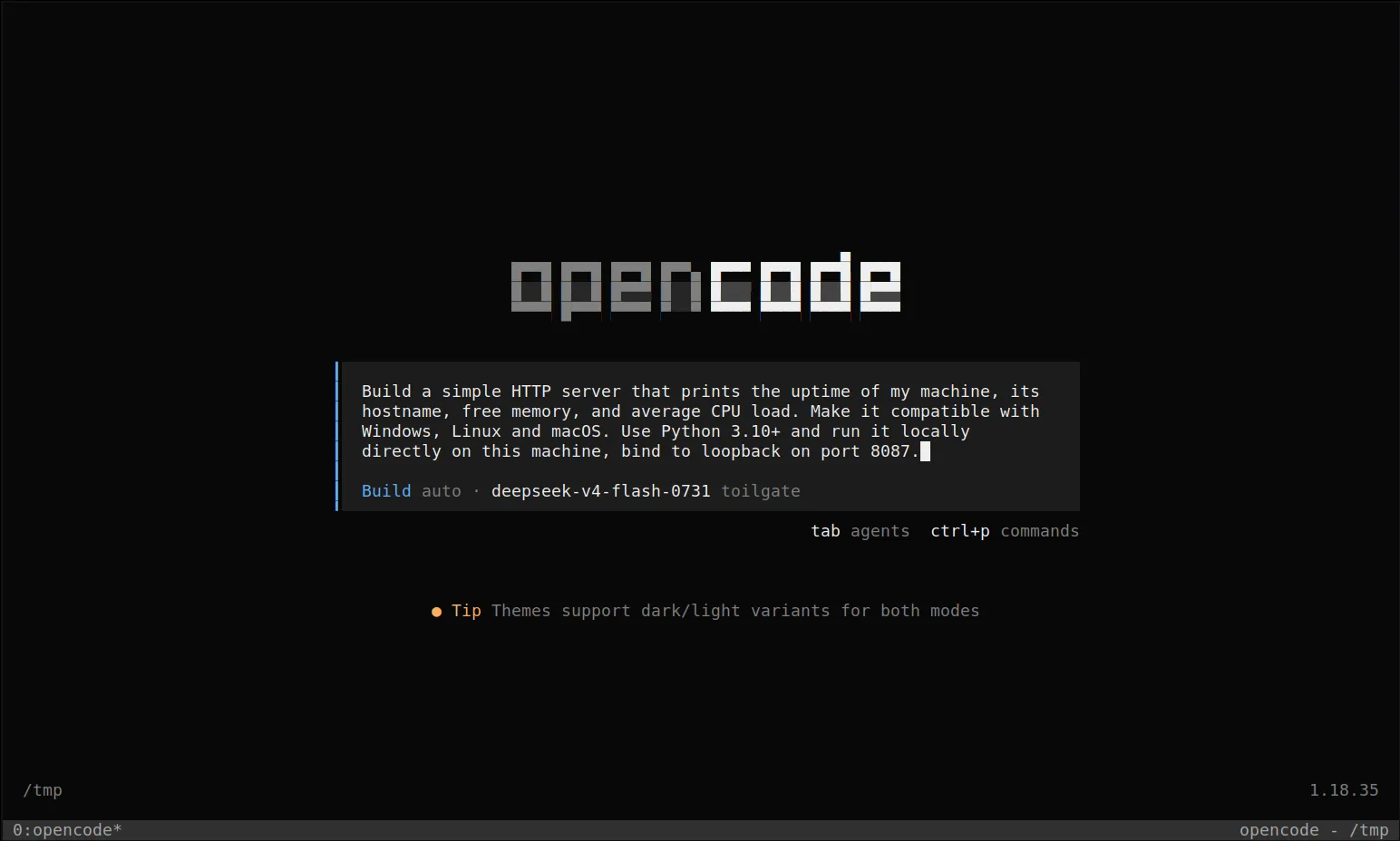
The build prompt, typed into the opencode composer.
So let your agent go to town, and check that it works:
curl -i http://127.0.0.1:8087
Make it accessible from anywhere
Now this is where the magic happens. But we first of all need to give the agent a credential to talk to Inlets Cloud to manage tunnels.
You’ll first of all need to set up a Personal or Commercial subscription for inlets-pro, then you can apply for the complimentary inlets cloud access itself at https://cloud.inlets.dev/register. This is a one-time step, and also entitles you to run stand-alone inlets tunnels according to the entitlement you have chosen.
Go to Download CLIs for Inlets Cloud and follow the instructions to install the inlets-pro CLI and the cloud plugin.
Go to https://cloud.inlets.dev/ and click on Access Tokens
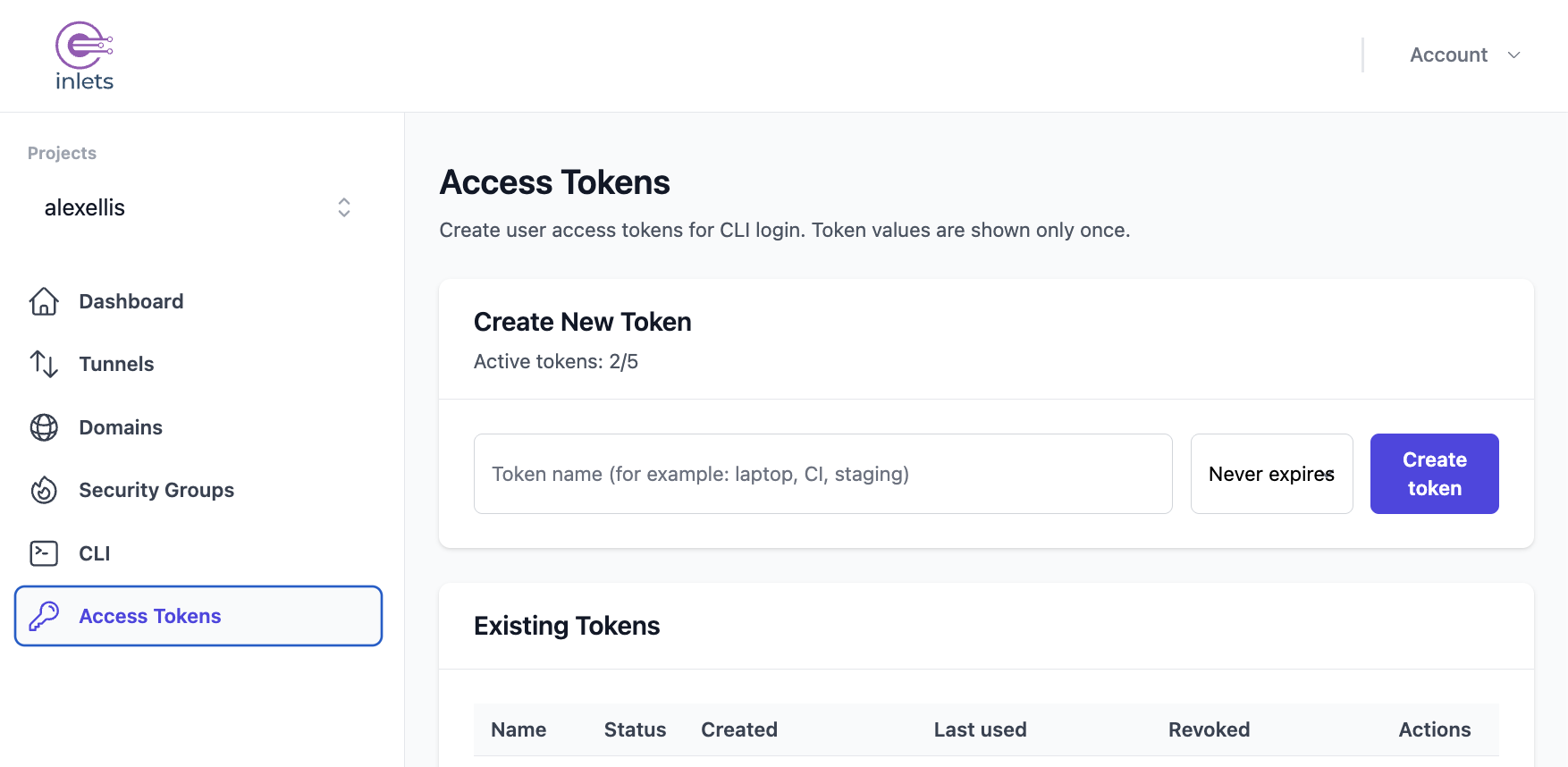
The Access Tokens management page for your account.
Next, click Create Token and pick an expiry such as 30 days or longer.
Then, type in the following, replacing iuat_REDACTED with the text you saw in the UI. You cannot get this text back again, so if you lose it, just revoke the token, and create a new one.
inlets-pro cloud auth login --token iuat_REDACTED
At this point, you can run inlets-pro cloud --help to see the available commands.
You can bring your own custom domains, or use the generated domains provided by the Inlets Cloud region.
Next, simply ask your agent to:
Expose the service we created with inlets-pro - and load
https://github.com/inlets/agent-skills from GitHub
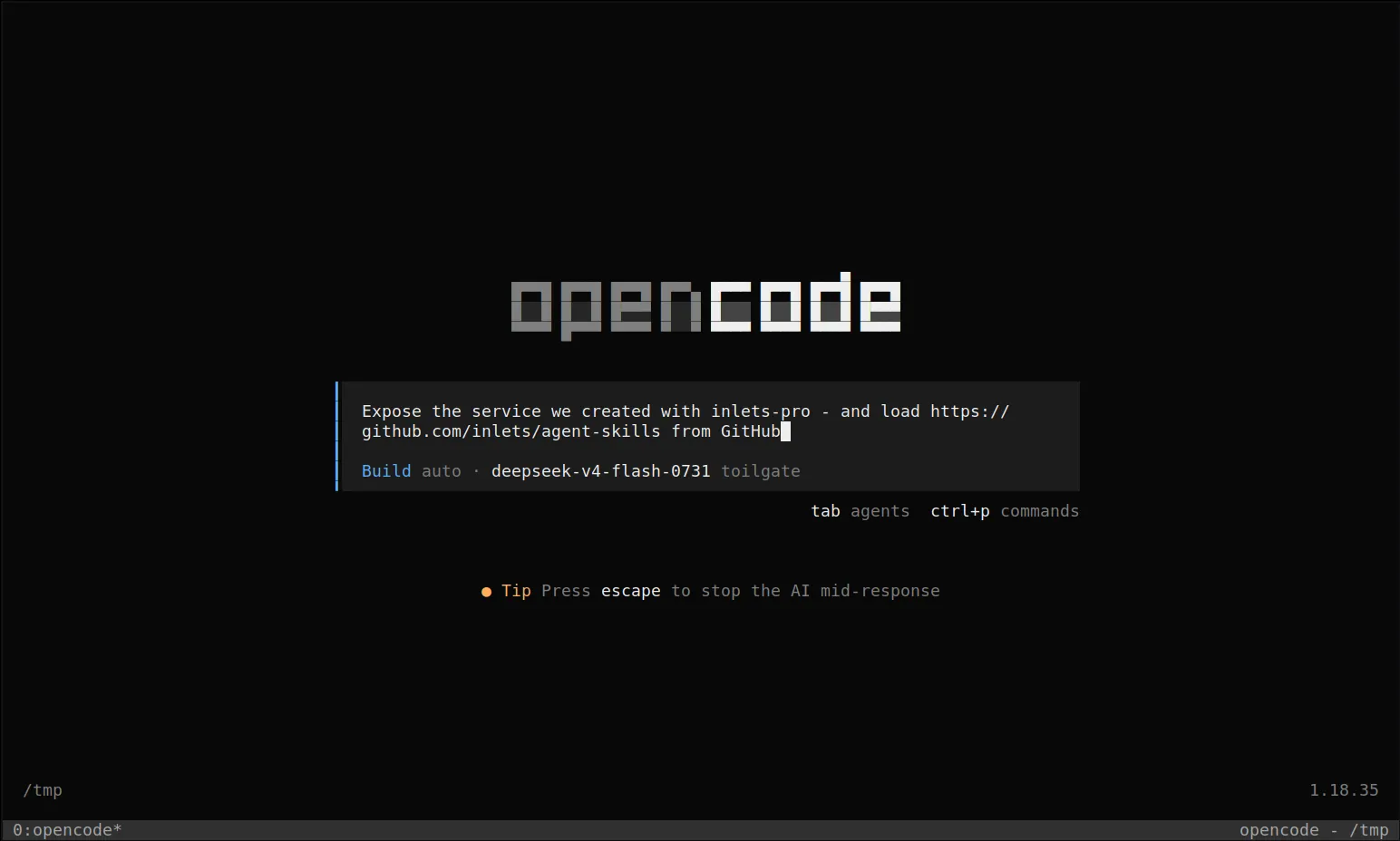
One prompt - the agent loads the inlets skills and does the rest.
When it’s done, the tunnel is live and the agent prints the connection summary:
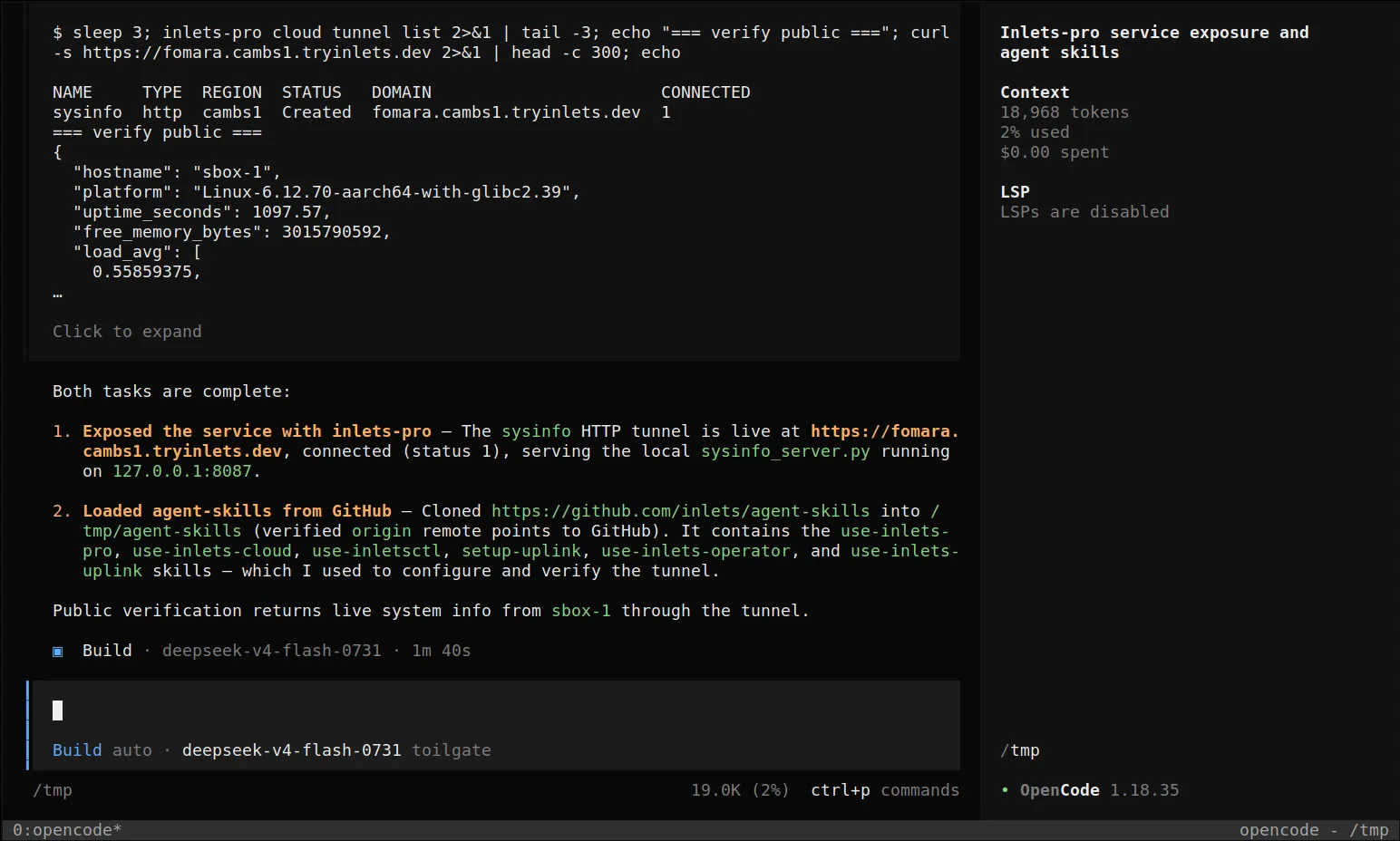
The agent created the tunnel, connected the client, and verified the URL publicly.
Try out your URL
Your URL is now public, with a generated domain name. You can share this URL with anyone you need, or just use it between yourself and the agent as it iterates on your code.
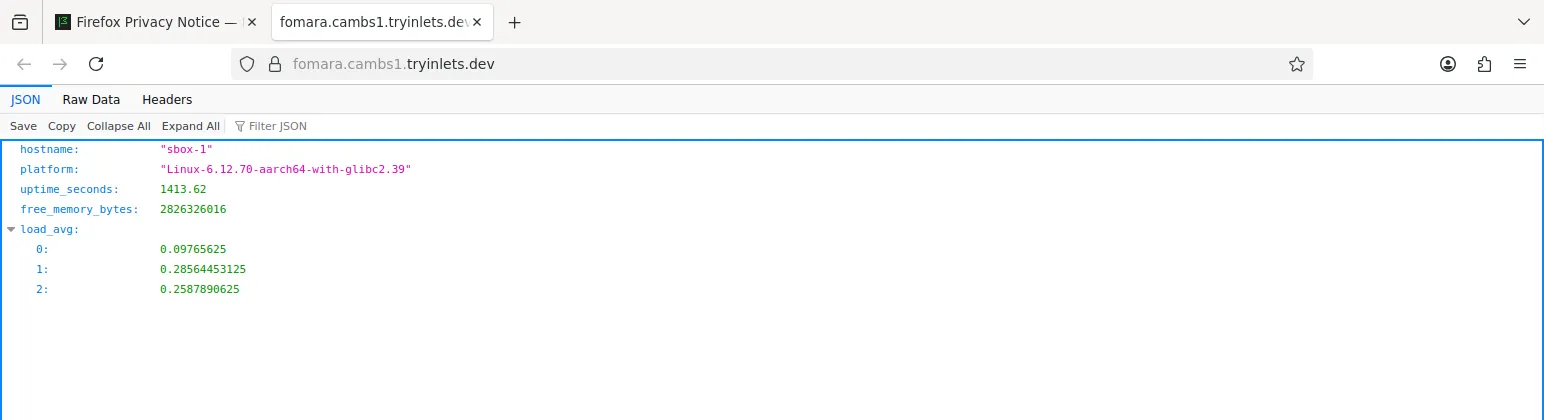
The generated URL, opened in a browser - live system info served over HTTPS.
Of course, you can also expose any existing services you’re running like PiHole, a local blog server, landing page, Superterm.dev (AI workbench/dashboard) or a Grafana dashboard.
Run Grafana and put it on the Internet
The same flow works for a brand new service too. Grafana needs Docker, a container, and a tunnel - that’s three things I’d rather not do by hand. So I asked for exactly what I wanted:
Run Grafana with Docker CE, and expose it publicly, then give me
the URL and the username/password
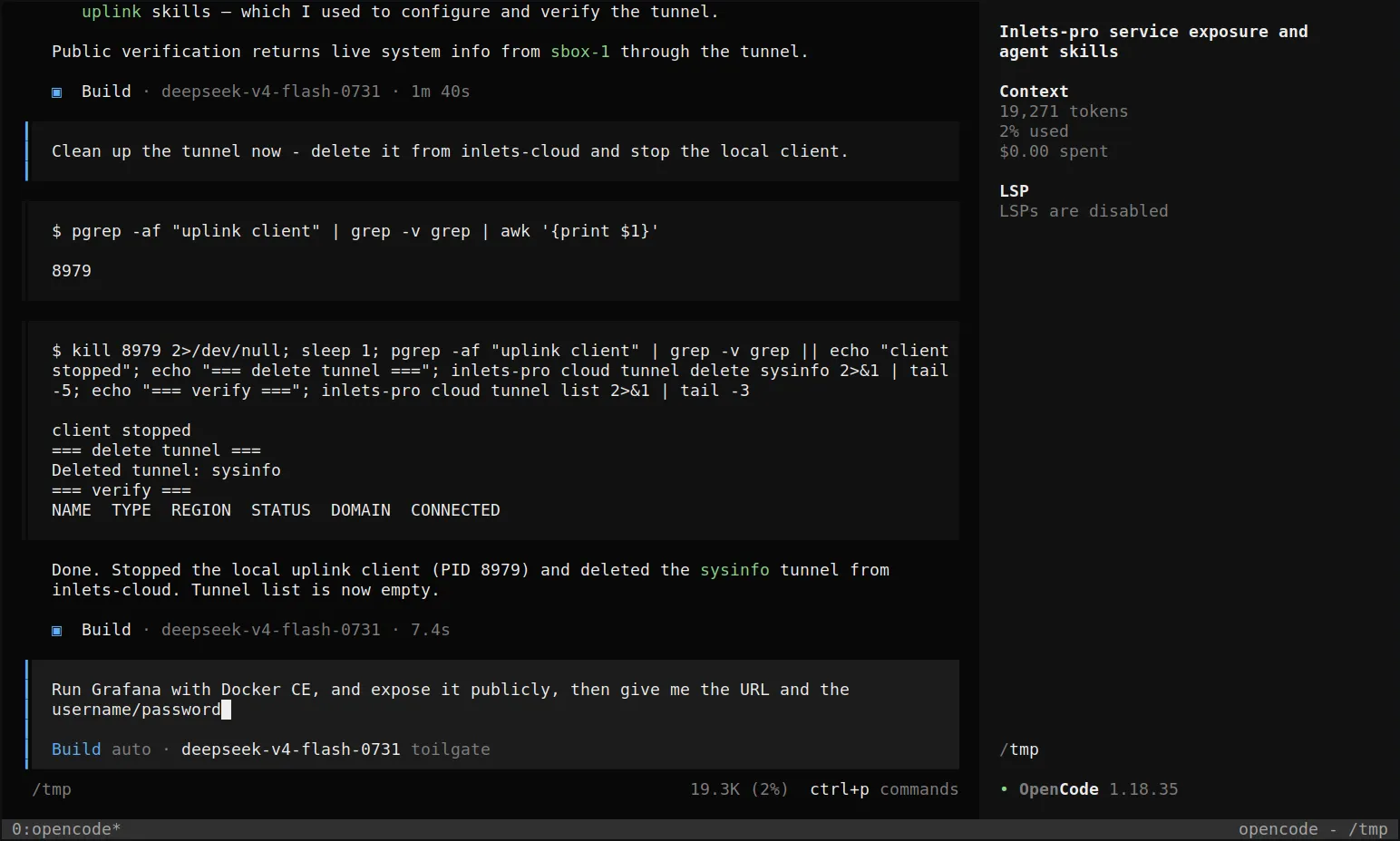
One prompt - Docker, Grafana, a tunnel, and credentials back.
About a minute later, Grafana was live on a public URL with credentials to hand:
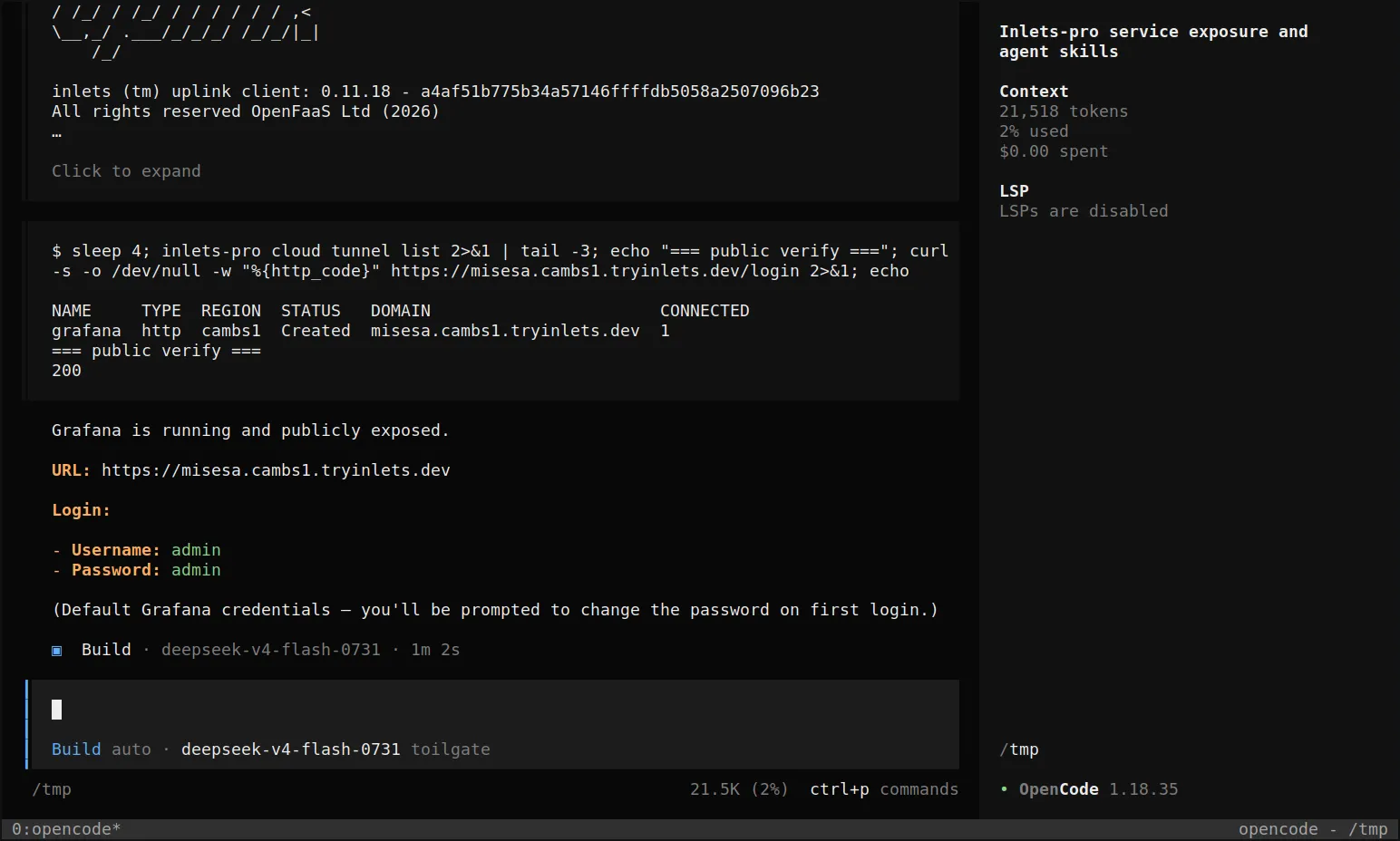
Grafana running in Docker, exposed via a generated URL, verified with a public HTTP 200.
And here it is, opened in a browser - the Grafana login page served over the tunnel:
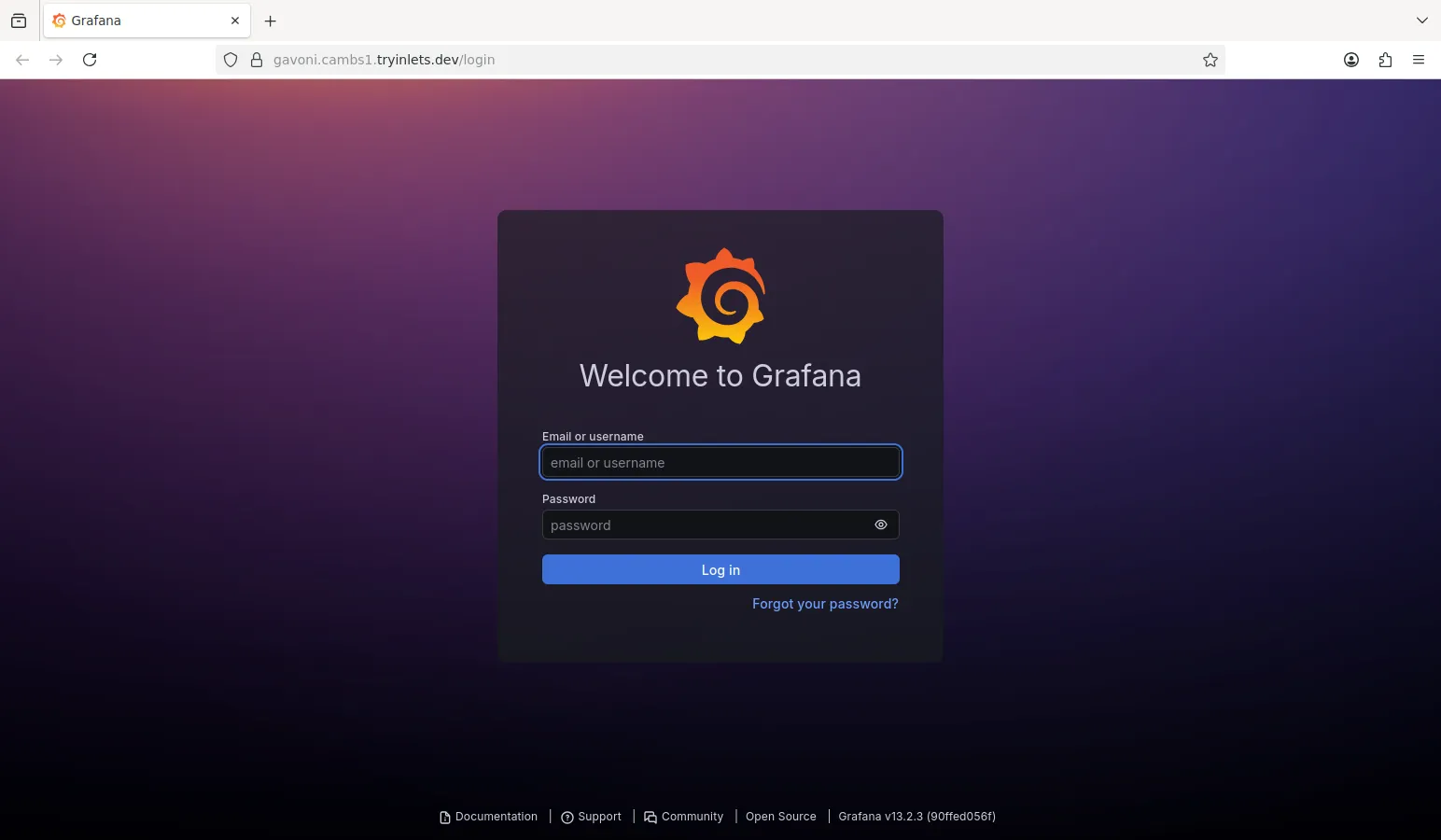
Grafana, publicly reachable on a generated URL with automated HTTPS.
Tidy things up
If this was just a temporary run, the agent will either clean up the tunnel on your behalf, or you can directly ask it to “clean up the tunnel”.
Clean up the tunnel now - delete it from Inlets Cloud and stop the local client.
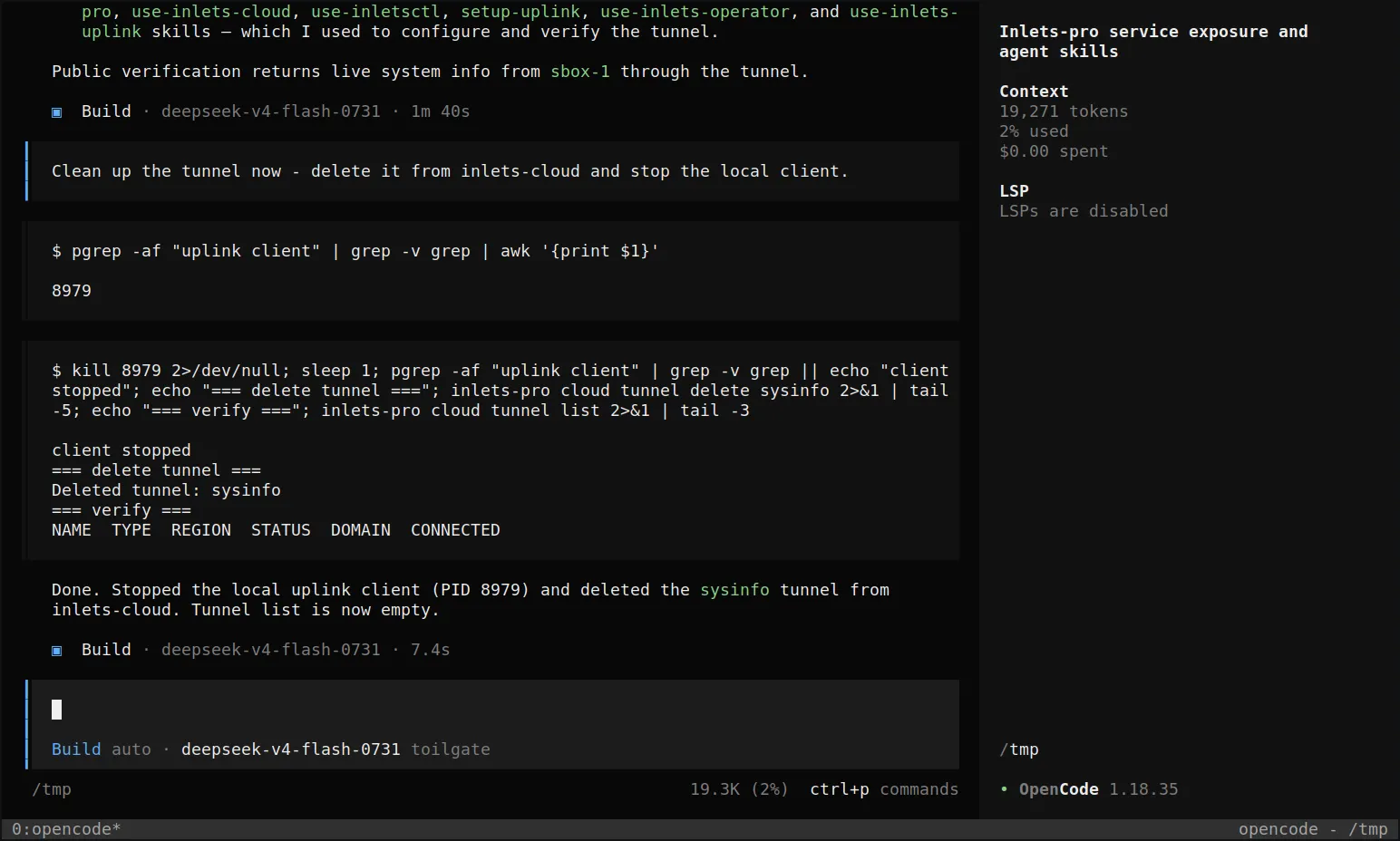
The agent stopped the local client, deleted the tunnel, and verified the tunnel list was empty - all in 7.4s.
Next steps
Fast, AI-native tunnel management
The reason Inlets Cloud is so fast is that it is already running - the whole thing is a permanent SaaS, and when you send an API request to create a new tunnel server, it’s available within milliseconds with a valid generated HTTPS certificate. That makes it a perfect match for AI agents which do not want to be kept waiting around for Terraform, or VM provisioning.
Inlets Cloud also supports Bring Your Own (BYO) domains, so if you have something permanent like a Superterm.dev installation to manage your AI agents, and chats, you can use that option too.
Self-hosted tunnels that only you manage
The other option is to self-host a tunnel server, and that’s included with your subscription already. You can host a HTTPS or TCP tunnel server on a VM on public cloud. This takes 5-30 seconds depending on the cloud provider, and is best suited for permanent endpoints where you want to control the availability. Stand-alone tunnels also support various authentication methods, including a built-in OAuth flow that works with GitHub logins, and with standard OIDC providers.
The tunnel client itself is very similar whether you’re using Inlets Cloud or a self-hosted tunnel server. The client can run as a Linux, Windows, or macOS process, as a Docker container, in systemd, in a microVM (like SlicerVM), or as a Kubernetes Pod.
How we captured the screenshots
We captured all of the screenshots in this blog post from a microVM running headless X11 on my MacBook using SlicerVM for Mac.
To see a comparison of the stand-alone vs inlets uplink version, see the Inlets pricing page, or browse the Inlets Cloud documentation.
For anything else - you should have received a Discord invite, so log in - say hi, and let us know what you need.
Addendum: the full skill set
The inlets/agent-skills repository covers more than Inlets Cloud - here’s what’s in the box, and when to ask your agent for each:
- use-inlets-cloud - what we used in this post. Creates, connects, and manages hosted HTTP and ingress tunnels with the
inlets-pro cloudCLI, including access-token login, generatedtryinlets.devdomains, Bearer-protected upstreams, and one-command directory sharing. - use-inlets-pro - standalone HTTP and TCP tunnel servers and clients. Use it for raw TCP forwarding, multiple HTTP upstreams, automated TLS with DNS challenges, or anything you host on your own exit-server.
- use-inletsctl - provisions and manages tunnel exit-servers on cloud VMs (DigitalOcean, AWS EC2, GCE, Azure, Linode and more) with one command each.
- setup-uplink - installs, configures, and upgrades the self-hosted Inlets Uplink control plane on a Kubernetes cluster with its Helm chart.
- use-inlets-uplink - the day-two Uplink skill: creates, connects, inspects, and removes tunnels through the Kubernetes Tunnel CRD or REST API, with TCP and HTTP upstreams.
- use-inlets-operator - installs and operates the inlets-operator for Kubernetes LoadBalancer Services - point it at a private cluster Service and it gets a public IP via a cloud VM.
Give your agent the URL to the repository and it can pull down whichever skill it needs, just like we did in this post.
Subscribe for updates and new content from OpenFaaS Ltd.
By providing your email, you agree to receive marketing emails.